


Digital Marketing and Branding
Adobe Illustrator
4 Seasons · 20 Episodes · 0/20 watched
A binge-worthy 4-season journey through Adobe Illustrator. Learn to build a brand people remember — one episode at a time.
About this course
A binge-worthy 4-season journey through Adobe Illustrator. Learn to build a brand people remember — one episode at a time.
Adobe Illustrator is a free, self-paced digital marketing and branding course from Crookshanks' Academy. It contains 20 video lessons organised into 4 seasons, each with study notes and a practice task. Track your progress as you go and earn a certificate of completion when you finish every episode.
What you'll learn
Season 1
- The Complete Beginners Guide To Adobe Illustrator | FREE COURSE
- Interface Introduction to Adobe Illustrator Ep1/19 [Adobe Illustrator for Beginners]
- Panels & Workspaces in Adobe Illustrator Ep2/19 [Adobe Illustrator for Beginners]
- Artboards in Adobe Illustrator Ep3/19 [Adobe Illustrator for Beginners]
- Vector basics | Selection & Direct selection tool & more Ep4/19 [Adobe Illustrator for Beginners]
- Fill & Stroke effects in Adobe Illustrator Ep5/19 [Adobe Illustrator for Beginners]
Season 2
- Using Colour | Swatches | Pantone's | Gradients & more Ep6/19 [Adobe Illustrator for Beginners]
- 10 Handy Tips | Things to know for beginners Ep7/19 [Adobe Illustrator for Beginners]
- Creating shape vectors in Adobe Illustrator Ep8/19 [Adobe Illustrator for Beginners]
- Grouping | Compounding vectors & Using the shape builder tool Ep9/19 [Illustrator for Beginners]
- Drawing with the Pen tool, Pencil tool & Brush tool Ep10/19 [Adobe Illustrator for Beginners]
- The Blob brush tool & Eraser tool in Adobe Illustrator Ep11/19 [Adobe Illustrator for Beginners]
Season 3
- Type tools in Adobe Illustrator Ep12/19 [Adobe Illustrator for Beginners]
- Setting up a document | Placing in a drawing / Sketch Ep13/19 [Adobe Illustrator for Beginners]
- Image trace tool for sketches in Adobe Illustrator Ep14/19 [Adobe Illustrator for Beginners]
- Tracing a hand drawn sketch & Converting to vector artwork Ep15/19 [Adobe Illustrator for Beginners]
- Compounding vector shapes & strokes | Pathfinder tool Ep16/19 [Adobe Illustrator for Beginners]
- Colouring a vector drawing in Adobe Illustrator Ep17/19 [Adobe Illustrator for Beginners]
Season 4
- Adding type to a poster design in Adobe Illustrator Ep18/19 [Adobe Illustrator for Beginners]
- Prepare and export ready for print in Adobe Illustrator Ep19/19 [Adobe Illustrator for Beginners]
Episodes
- 1
 The Complete Beginners Guide To Adobe Illustrator | FREE COURSE
 - 2
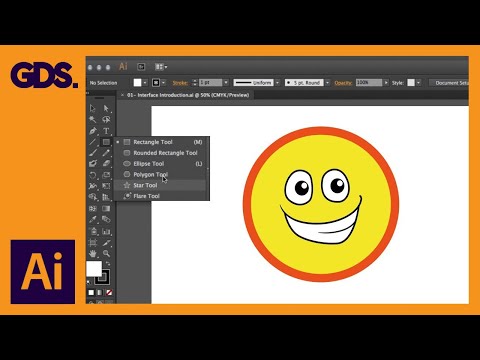 Interface Introduction to Adobe Illustrator Ep1/19 [Adobe Illustrator for Beginners]
 - 3
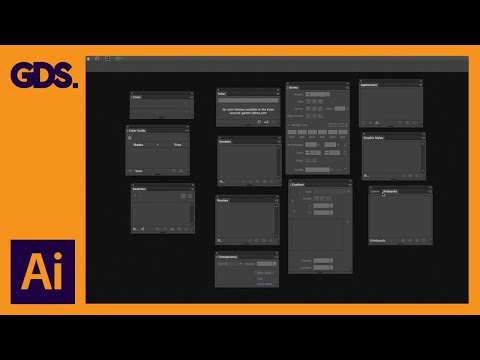 Panels & Workspaces in Adobe Illustrator Ep2/19 [Adobe Illustrator for Beginners]
 - 4
 Artboards in Adobe Illustrator Ep3/19 [Adobe Illustrator for Beginners]
 - 5
 Vector basics | Selection & Direct selection tool & more Ep4/19 [Adobe Illustrator for Beginners]
 - 6
 Fill & Stroke effects in Adobe Illustrator Ep5/19 [Adobe Illustrator for Beginners]